Max – Live 360° Video Streaming Mobile App
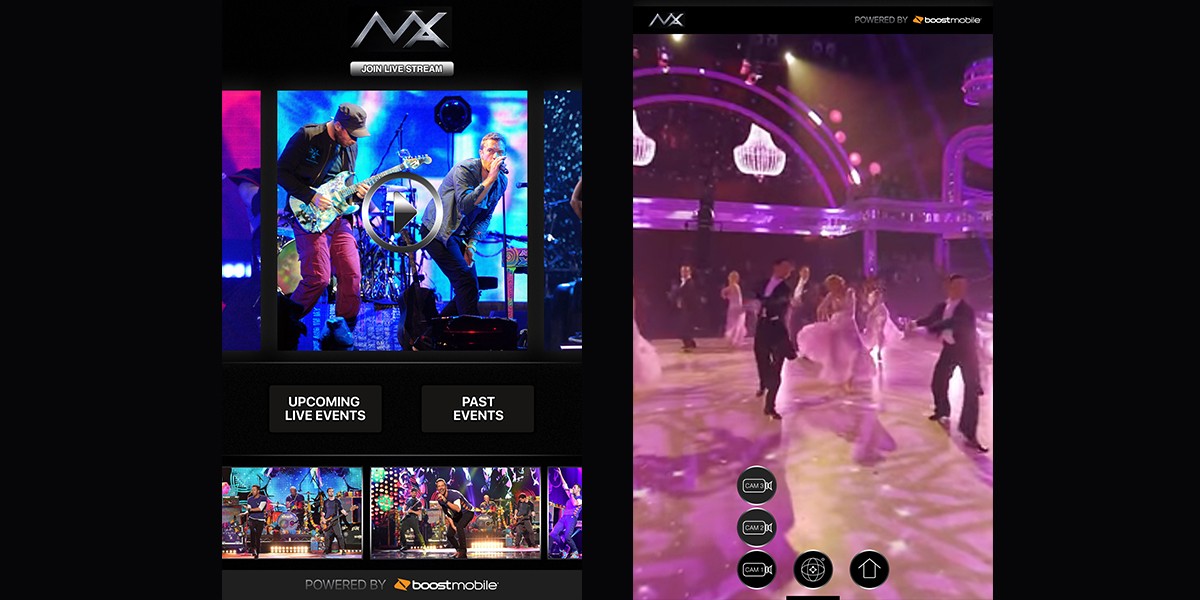
Max was envisioned as a mobile app for real-time 360-degree live video streaming, allowing users to watch concerts, music shows, sports events, and other experiences directly on their phone. The goal was to bring an immersive “front-row” experience to users anywhere in the world through multi-camera live feeds and interactive viewing controls.
01
Problem Statement
Users had no simple, intuitive way to explore 360-degree live content or switch between multiple camera angles on mobile devices. Existing interfaces for 360° playback were often cluttered, distracting, or inconsistent, making the viewing experience difficult and breaking immersion. The challenge was to create a sleek, minimal interface that made navigation effortless while keeping the focus on the live event.
02
Competitive Research & Analysis
Since the project was done few years back, the 360° video space was still emerging. Research included reviewing early platforms such as:
YouTube 360° (limited mobile UX at the time)
Periscope & Meerkat (live streaming trends, but no 360° mode)
Generic camera apps offering panoramic or VR-style controls
Key insights from the research you would have looked for at the time:
Most apps lacked intuitive icon-based controls for switching views.
Overlays often obstructed video content, reducing immersion.
Users expected simple gestures rather than complex menus.
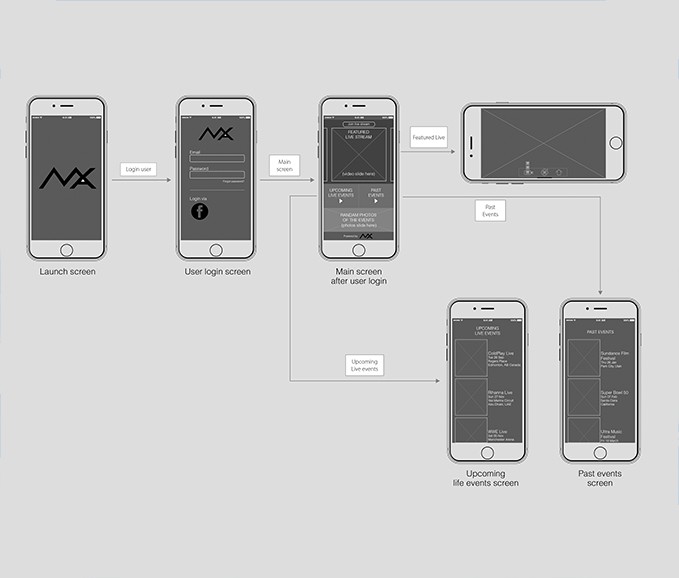
This analysis helped shape a cleaner UI built around iconography, minimal UI chrome, and smooth gesture interactions.

03
Solution
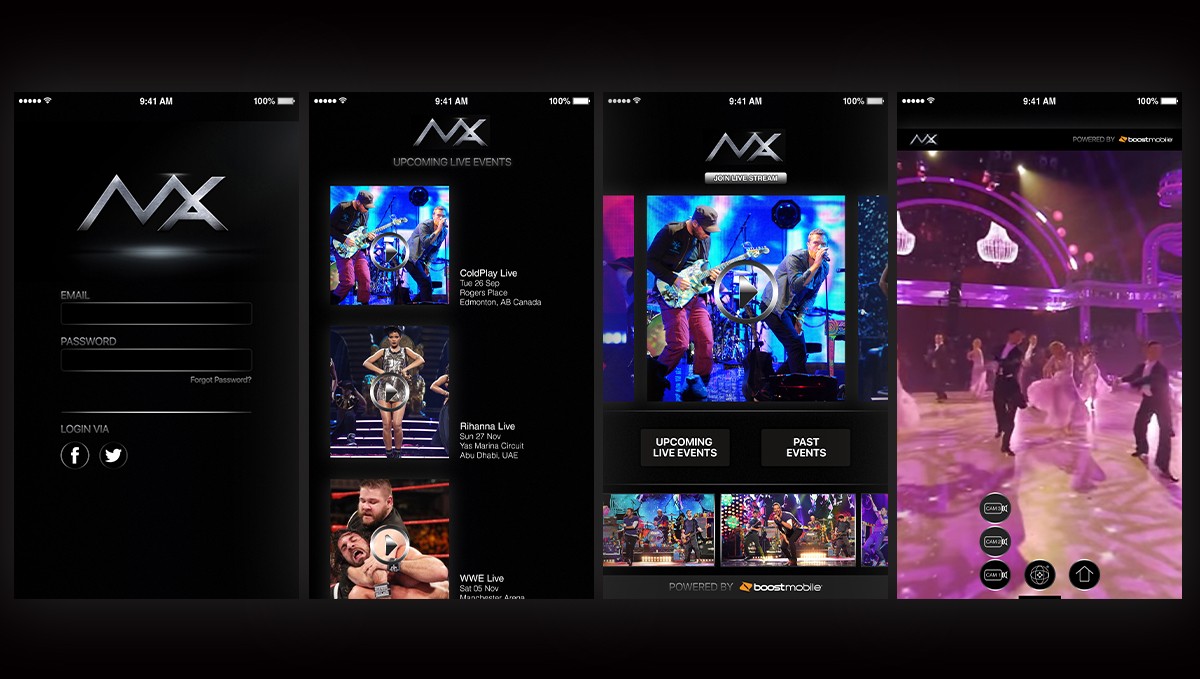
The solution was a dark, modern visual interface aligned with the brand colors (black + silver), ensuring the video remained the visual hero. Key design decisions included:
A minimal icon-driven control system for switching cameras and activating 360° mode.
Intuitive gesture controls for rotating the live feed.
A layout that reduced visual clutter and kept the UI focused on the content.
A consistent design system and style guide for development handoff.
This resulted in a clean viewing experience that allowed users to explore live 360° content effortlessly.
04
Learnings & Reflection
Designing for 360° interactions required thinking beyond traditional mobile UI patterns.
Using iconography as the primary navigation method improved clarity and reduced distractions.
The importance of keeping UI elements lightweight when video is the core experience.
Early projects like this strengthened your foundation in visual design, interaction design, and collaboration with developers using detailed specs and icon sets.